
SceneGraph ChannelStore
ChannelStore node commands for purchasing, entitlements, and authentication
The SceneGraph ChannelStore node is used to manage the on-device user experience of the purchase flow through Roku Pay. It includes a complete suite of APIs (referred to as commands) for implementing the on-device purchasing, entitlement, and authentication workflows. This document summarizes these ChannelStore commands.
See the On-device authentication guide for the complete steps on using the ChannelStore node to implement the Roku Pay workflow. Refer to the ChannelStore reference for more detailed information on each command.
Purchasing
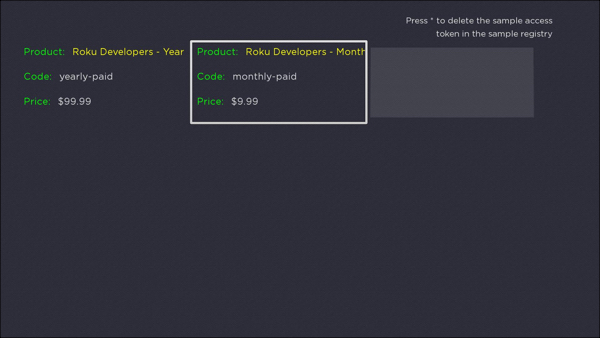
getCatalog
The getCatalog command gets the subscription and one-time purchase products in the app's catalog.
This command is used to populate SceneGraph components with products' metadata such as the product name, price, and description.
getUserData
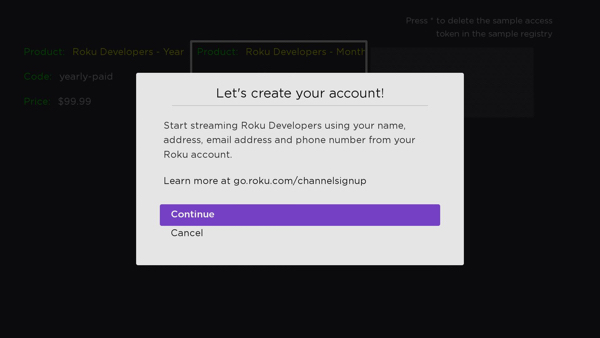
The getUserData command gets the customer's Roku account information such as their name, email address, and phone number. This command enables publishers to select which information to return. For example, if only the customer's email address is needed, the command can be configured to only return that information. Only the information needed to create an account should be requested.
When this command is executed, a Request for Information (RFI) screen is displayed. The RFI screen allows customers to grant access to the publisher to their Roku account information. This enables the publisher to create an account in their system without the customer entering any information. This is a critical component in the Roku Pay workflow, which is designed to minimize or completely eliminate the need for customer keypresses in order to reduce friction and maximize conversions.
doOrder
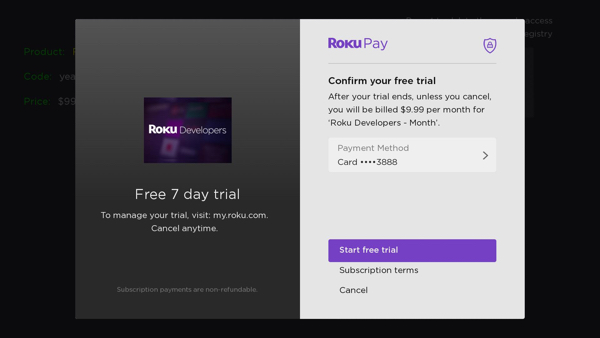
The doOrder command completes the transaction for the customer's purchase.
When this command is executed, the Roku Pay order confirmation screen is displayed. This publisher-branded screen summarizes the product being purchased, including the price, product name, and any trial period/discount. It enables the customer to confirm their purchase and update their method of payment if necessary.
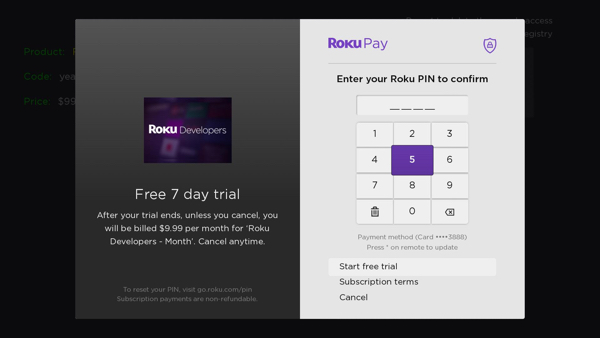
If the customer requires a PIN for making purchases, the dialog displays a PIN pad for the customer to enter their 4-digit pin and then confirm the order.
requestPartnerOrder
TVOD only
The requestPartnerOrder command checks whether the customer's billing status is valid. It is used to verify that the customer is eligible to order a movie rental, sporting event, pay-per-view, or other one-time purchase product. See Creating TVOD channels for more information on using this command in the Roku Pay workflow.
confirmPartnerOrder
TVOD only
The confirmPartnerOrder command completes the transaction for the customer's purchase. Similar to the doOrder command for subscription purchases, the Roku Pay order confirmation screen is displayed after this command is executed. See Creating TVOD channels for more information on using this command in the Roku Pay workflow.
Entitlements and authentication
getPurchases
The getPurchases command gets all of the customer's current active subscriptions. It is used in conjunction with the Roku Pay validate-transaction API to verify that a customer is entitled to a subscription or one-time purchase product.
The getAllPurchases command is similar to getPurchases, except that it returns expired and canceled subscription in addition to active ones.
storeChannelCredData
The storeChannelCredData command stores the publisher's access token for an in-channel product in the Roku cloud. This command is used to implement Automatic Account Link, which enables customers to access their entitled content on all the devices linked to their Roku customer account—without requiring any additional authentication.
getChannelCred
The getChannelCred command retrieves the publisher's access token for an in-channel product from the Roku cloud. It is used to verify whether the customer is entitled to an in-app product.
Testing the ChannelStore implementation
The Roku Pay testing and troubleshooting document lists the steps for testing the purchase and authentication/entitlement workflows. Developers can also add themselves as a Test User to the app being tested in order to execute ChannelStore purchases without being billed for the transactions, and they can designate an app for "billing testing" to view the confirmations, error codes, and other transactional metadata related to purchases made with Roku Pay in the debug console.
Updated 3 months ago