
Rendezvous linking
Three-step rendezvous flow for linking a Roku device to an authentication service
All apps, except TVE apps, must complete authentication entirely on-device to pass certification. See On-device authentication for how to implement the required authentication method.
Only TVE apps may use rendezvous linking to authenticate Roku customers. A TVE app is defined as an app that is accessed with credentials from a cable/satellite subscription.
This overview describes the typical flow and API used for registering
and linking a device to an authentication service. The primary and
recommended method for linking a device involves 3 main steps:
-
Display a short on-screen registration code (generated on the
server) on the Roku device. -
The user links the device by entering the registration code on the
provider's website/service. -
The service confirms the code is correct and issues a token to the
Roku device. Once the device downloads the token, the app displays a
congratulations screen and allows the user access to the video service.
The next time the app is launched, the service will check if the
token matches.
This is known as the "rendezvous" style of registration.
Authentication flow
Several transactions between the device and the provider server make
this work. The steps are as follows:
1. Pre-registration:
- First, the device makes a "pre-registration" request to the server.
- The server generates a short registration code and sets up an entry
in a database associating the code with a temporary request for
linking. - The device receives this response and displays the code to the user.
2. Device linking:
- The device begins making a sequence of "link" requests to the
server. - The server responds to the link request with a "not completed" code
until the user successfully enters the code into the web site, or
the code expires.
3. Linking success:
- When the user has successfully entered the code plus any other
necessary credentials on the provider web site, the server
re-associates the code with the user's real account. - The next time the device makes a "link" query, the server responds
with a permanent token that can be used to access the user's
account.
All subsequent API requests use this token to uniquely identify the
customer and device. A request can be made as HTTP GET with values in
parameters, or HTTP POST with values in the body of the request, for
example, as XML or JSON.
Step 1: Pre-registration
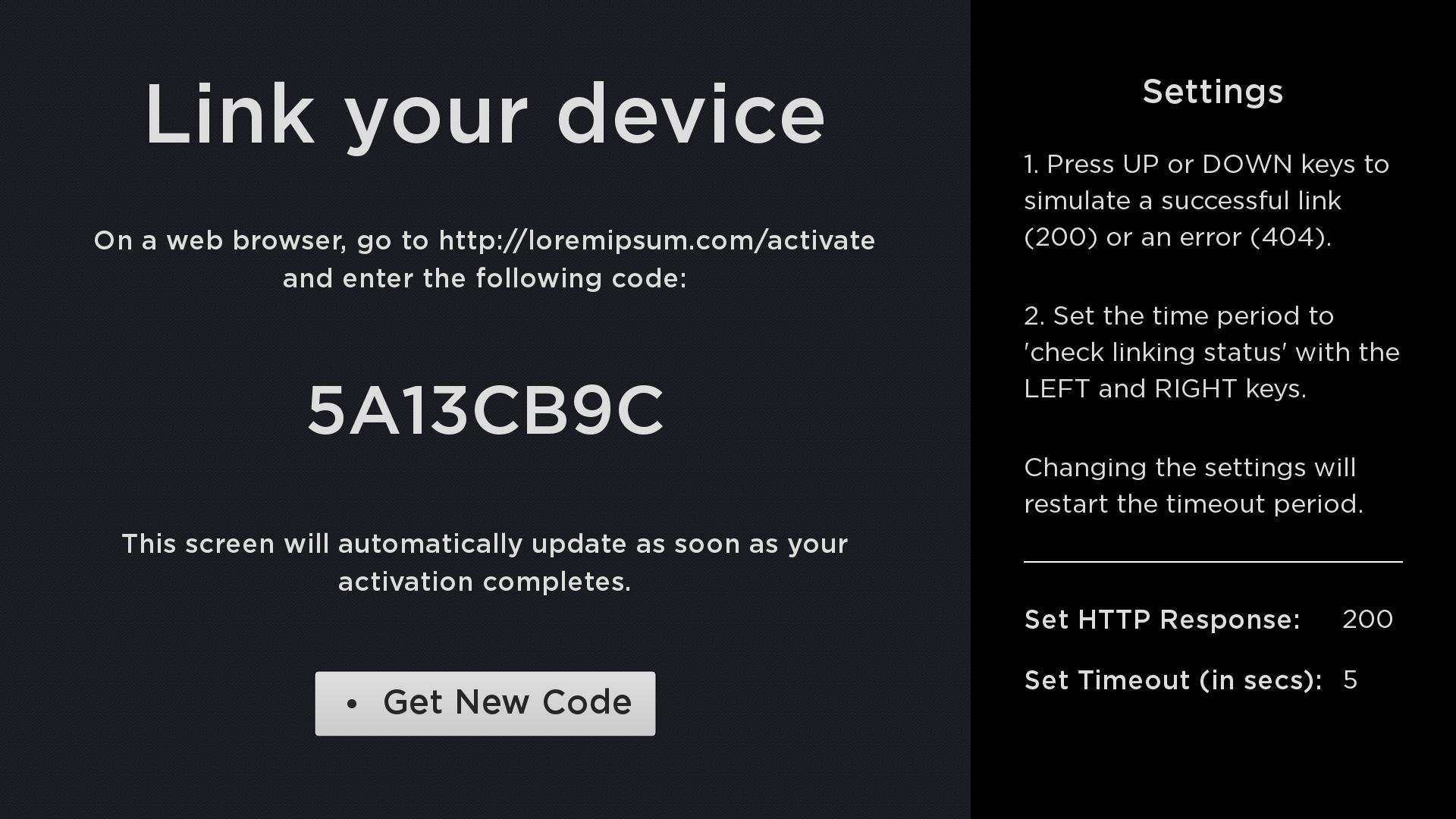
This transaction is used to retrieve a registration code from the server
for device registration. The code is displayed on screen by the device
and the user is requested to go to the website and enter this code. It
is desirable to make the code as short as possible to make it easy for
the user to enter, yet ensure uniqueness during the retry interval. The
device will poll at a specified frequency (retryInterval) during
registration until the device has been registered or the maximum time
has expired (retryDuration).
Pre-registration request:
<preRegistration>
  <deviceID>(unique id/serial number for the device)</deviceID>
  <deviceTypeID>(optional opaque string identifying device type)</deviceTypeID>
  <firmwareVersion>(optional major.minor.build)</firmwareVersion>
</preRegistration>
Response:
<result>
  <status>success/failure</status>
  <regCode>(small ~5 character code customer will enter onto web site)</regCode>
  <retryInterval>(polling interval in secs to detect completion (e.g. 30)</retryInterval>
  <retryDuration>(max duration in secs for retries (e.g. 900) )</retryDuration>
</result>
Step 2: Device linking
This transaction is used to check the registration progress to see if
the user has successfully entered their registration code on the website
to link their device. This method is polled continuously at the
specified interval (retryInterval) from the time the pre-registration
request is made until a success response is received or until the max
retry time (retryDuration) has elapsed. An example of the
request/response is shown below in XML format:
Link request:
<linkAccount>
  <regCode>(current registration code from PreRegistration request)</regCode>
  <deviceID>(unique id/serial number for the device)</deviceID>
  <deviceTypeID>(opaque string identifying device type)</deviceTypeID>
</linkAccount>
Note: The device ID should not be used as the authentication token as is.
You can however hash the device ID to create an auth token as long as it
generates a unique value each time.
Intermediate response:
<result>
  <status>incomplete</status>
</result>
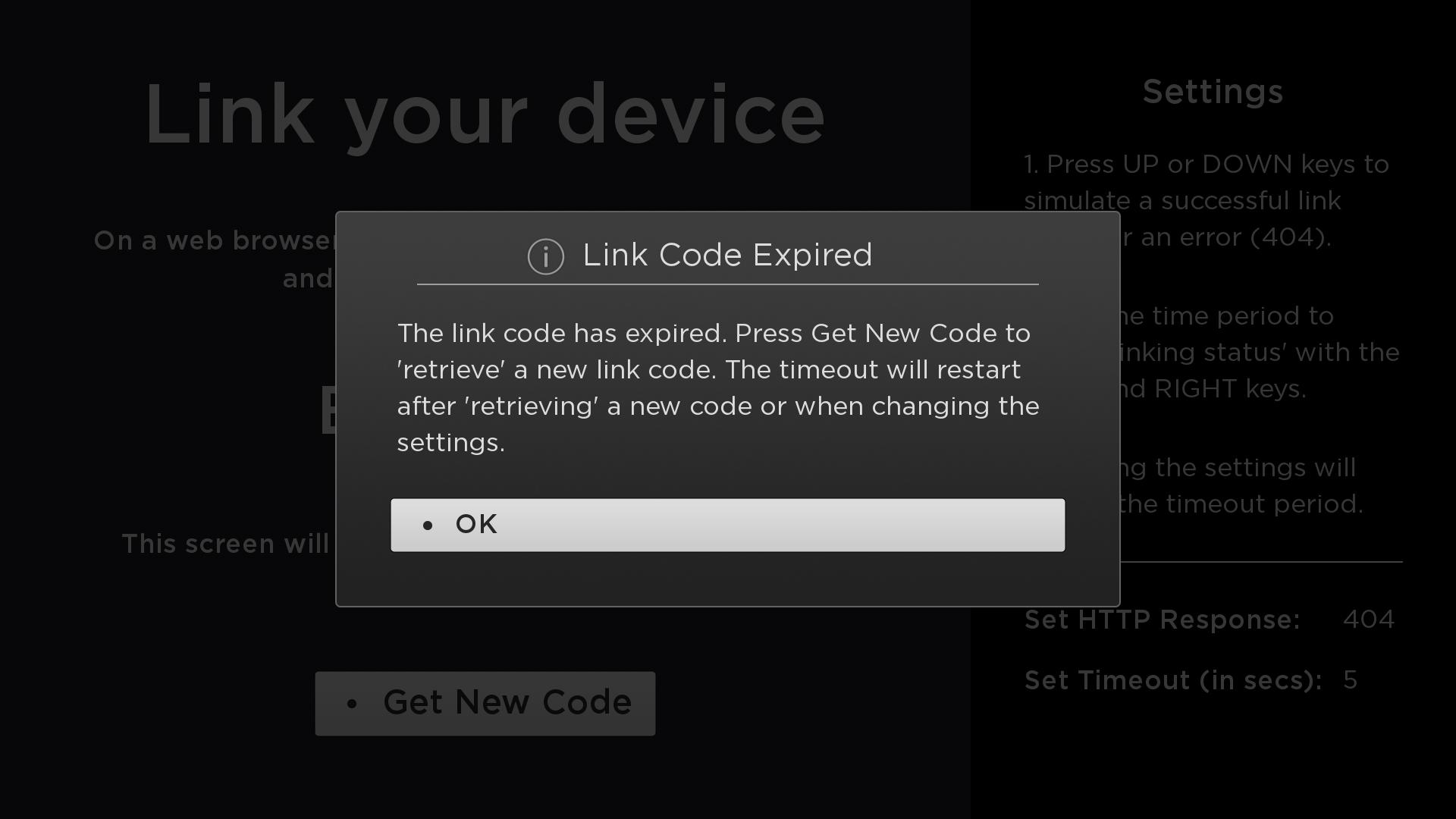
The device linking request may fail for several reasons, such as:
- Missing or invalid registration code
- Expired registration code
- Customer account issue (e.g. not registered, hold, etc.)
The app is expected to handle these types of responses gracefully.
Step 3: Linking success
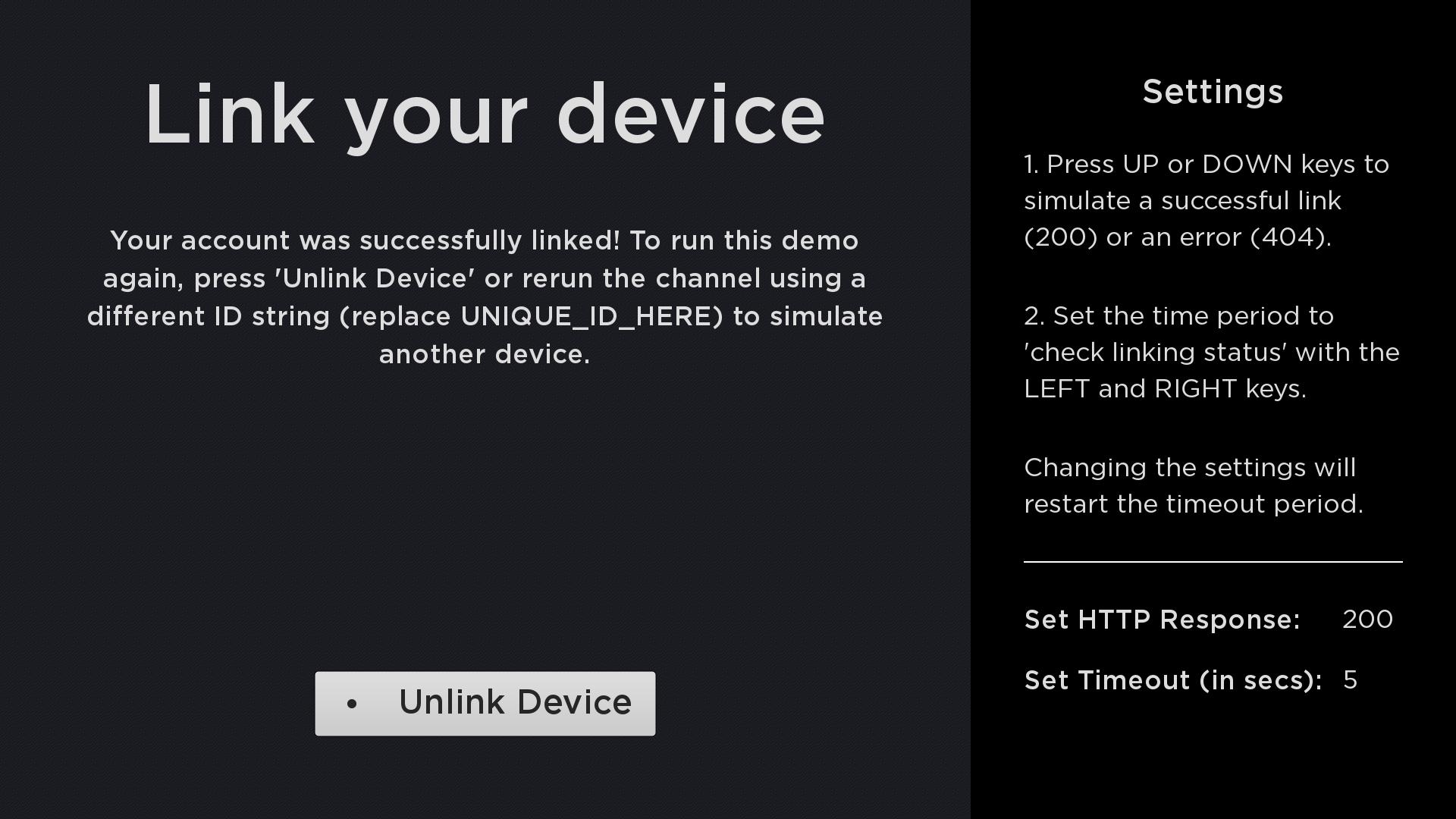
The final response after successfully linking the device should send a
token (opaque string) back to the Roku device and be written to the
app's registry. This token can then be used by the client to perform
further operations on the server, such as play media. The next time the
app is launched, the service should check to see that the token
matches.
This token, and not the device serial number, should be used to
identify an account on the server. This allows a user to disassociate
(unlink) a device from an account by simply removing the app or when
doing a factory reset which causes the stored device token to be
discarded.
Final response:
<result>
  <status>success/failure</status>
  <deviceToken>(opaque string to identify account for future requests)</deviceToken>
  <customerId>(optional customer ID if required by partner)</customerId>
  <creationTime>(optional ISO8601 date/time value)</creationTime>
</result>
Updated 6 months ago