
MultiStyleLabel
Node class for creating labels with mixed fonts, colors, and text styles
Extends LabelBase
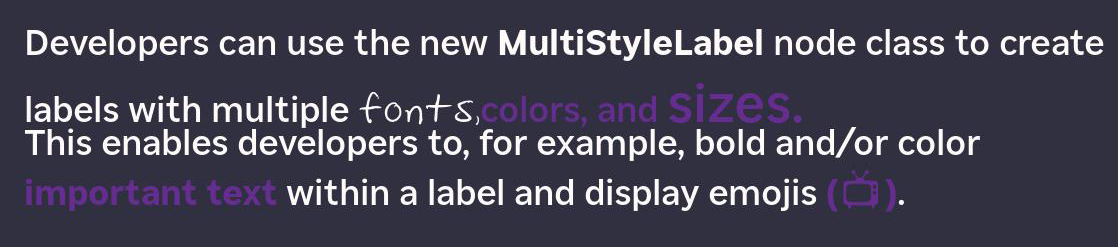
The MultiStyleLabel node class is used to create labels with mixed styles. For example, this node can be used to create a single label with plain and bold text, different fonts, and/or multiple colors.
Fields
Fields derived from the Group and LabelBase classes can be used.
| Field | Type | Description |
|---|---|---|
| drawingStyles | associative array of associative arrays | Defines the size, URI, and color of a font style. This field may contain one or more font styles. |
Example
The MultiStyleLabel drawingStyles field contains one or more associative arrays that represent font styles. Each font style contains fontSize, fontUri, and color properties. If you use a default system font, the fontSize field is ignored.
The MultiStyleLabel text field uses a simple markup style. Markup tags with the names of the styles defined in the drawingStyles field are used to delineate the boundaries of the label text to be rendered in that specific style.
m.MultiStyleLabel.drawingStyles = {

    "HandprintedRed": {
        "fontSize": 36
        "fontUri": "pkg:/fonts/vSHandprinted.otf"
        "color": "#FF0000FF"
    }
        "HandprintedGreen": {
            "fontSize": 36
            "fontUri": "pkg:/fonts/vSHandprinted.otf"
            "color": "#00FF00FF"
    }
    "default": {
        "fontUri": "font:LargeSystemFont"
        "color": "#000000FF"
    }
}

m.MultiStyleLabel.text = "Default Text <HandprintedRed>Red text followed by</HandprintedRed><HandprintedGreen>more text in a funny style thaty the world has never seen before...</HandprintedGreen>"
Sample app
You can download and install a sample app that demonstrates how to use the MultiStyleLabel node.
Updated 4 months ago