
Creating TVOD apps (Catalog 2.0)
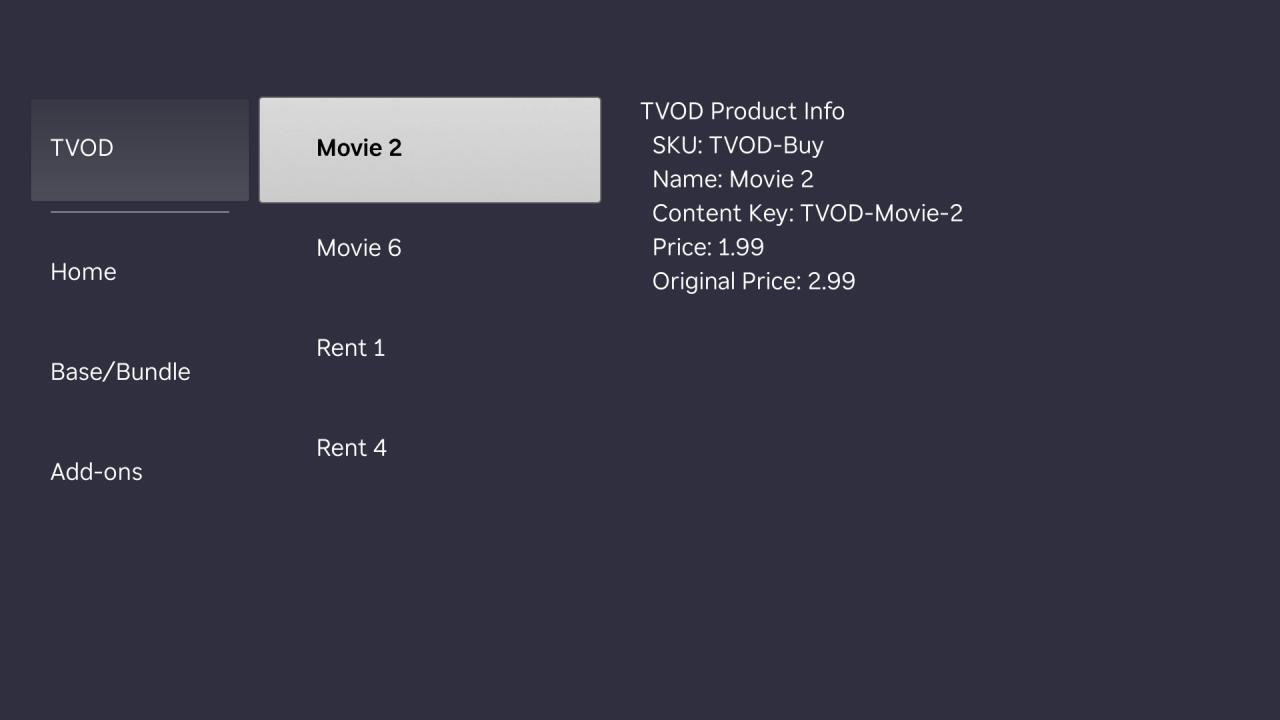
Publishers participating in Roku Pay can monetize content by making it available for rental or purchase. Implementing the transactional video on demand (TVOD) model in a Roku app allows publishers to generate revenue from sporting events, pay-per-views, recent movie releases, and other popular content in their catalog. This enables viewers to enjoy the convenience of consuming a publisher's must-see content on-demand.
Overview
Offering transactional content in an app entails creating products and purchase options for the content in the Developer Dashboard and using the ChannelStore node to check the user's billing status and complete the rental or purchase transaction.
This workflow is intended for:
- Publishers creating a TVOD-exclusive app (an app containing only transactional content such as movie rentals or purchases).
- Publishers with subscription video on demand (SVOD) apps that also offer transactional content.
Creating products for TVOD
To link transactional content with Roku Pay, you create products and purchase options in the Developer Dashboard. With the TVOD model, products only need to be created for each product category (video content, audio content, or game token). For example, if you plan on offering movie rentals, you only need to create a single product that has the video category.
To manage multiple transactional content items using the same product, your app can leverage your product feed or publisher-specific API to retrieve the item's metadata from your catalog at runtime. When a user selects the content to be purchased, your app can use the runtime metadata to display the item's title, price, and poster image and pass the item's SKU through the ChannelStore functions in order to identify for which item to grant the user access.
Product guidelines
When creating a product for transactional content, make sure to do the following:
-
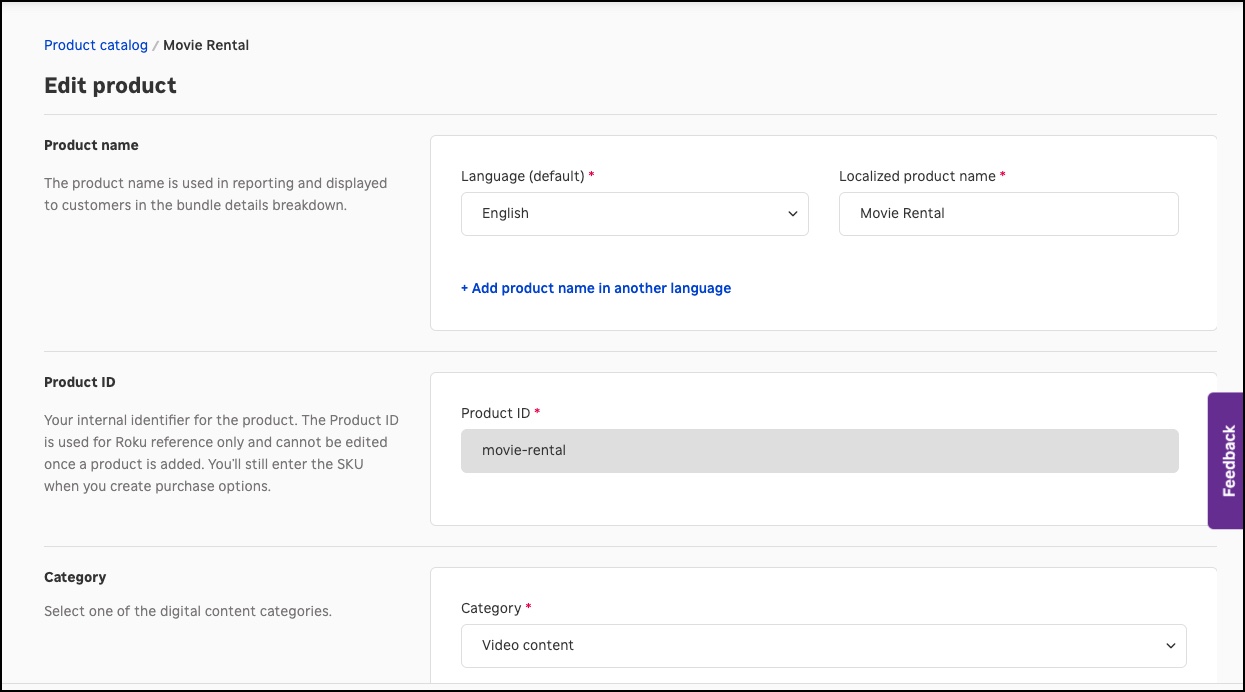
Product Name. Enter a name that generically describes the rental or purchase product (for example, "movie rental", "movie purchase", and so on).
Purchase option guidelines
When creating a purchase option for a TVOD product, make sure to do the following:
-
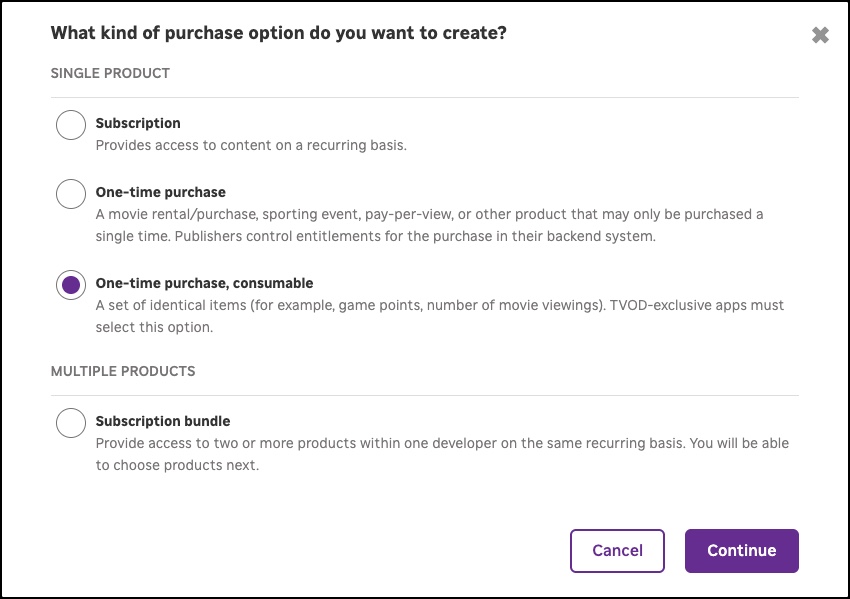
Purchase Type. You must select One-Time Purchase. consumable.
-
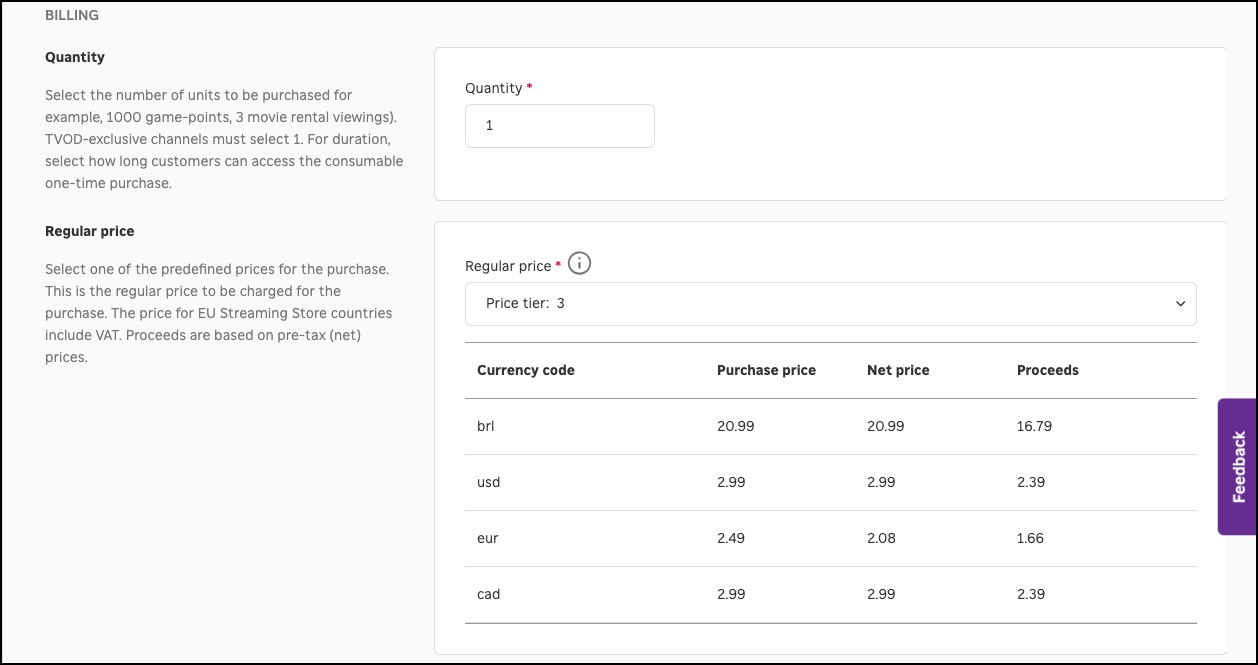
Quantity (TVOD-exclusive app only): Select 1.
-
Price Tier: Select any price tier. The price passed in the ChannelStore APIs overrides the price corresponding to the selected price tier.
Handling transactional purchases
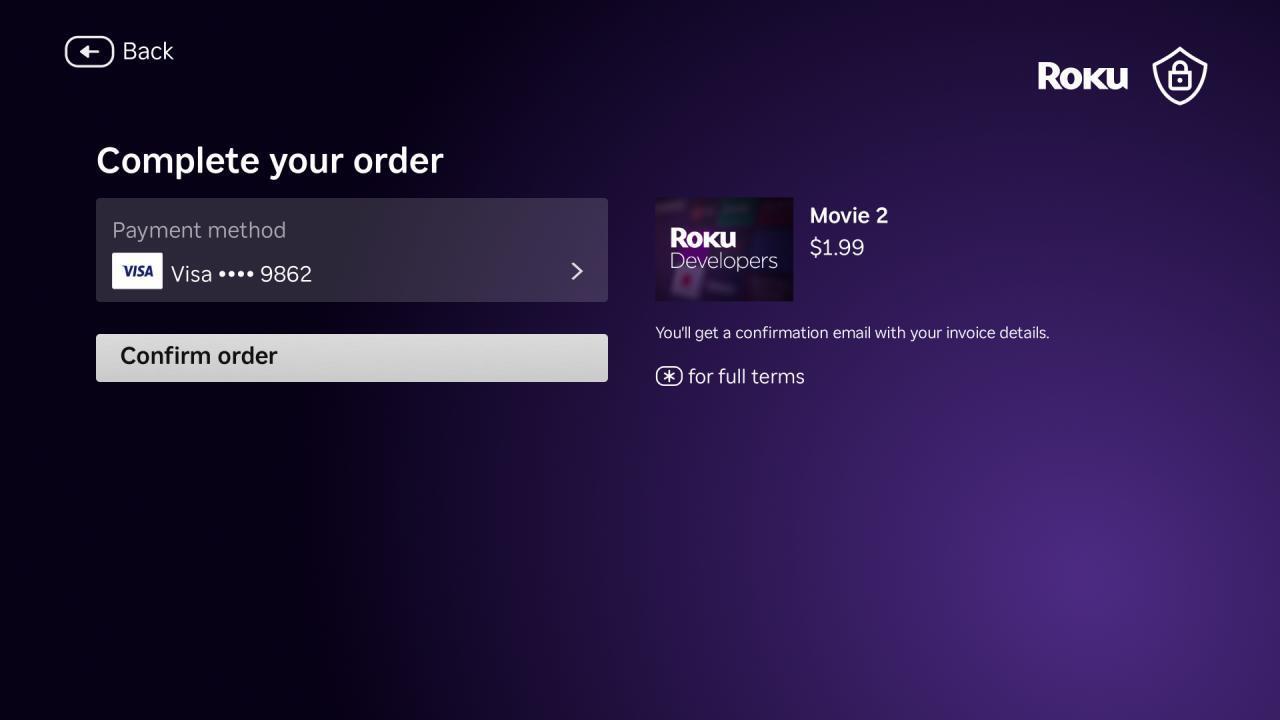
Publishers need to update their app's code to leverage the new DoOrder ChannelStore API, which displays the Roku Pay order confirmation screen where customers complete their purchase of your transactional content.
To update your app with the new DoOrder API, follow these steps:
-
Initialize the ChannelStore API generic request framework. The following code monitors the channelStore.requestStatus field and fires the onRequestStatus() callback function when changes to the requestStatus field occur. The onRequestStatus() function determines which command was sent and sends the results to the dedicated parser for the command.
function init() m.store = m.parent.FindNode("channelStore") m.store.observeField("requestStatus", "onRequestStatus") end function ' Generic SDK API request callback function onRequestStatus() requestStatus = m.store.requestStatus if requestStatus = invalid print "Invalid requestStatus" else print "requestStatus", requestStatus print "requestStatus.command", requestStatus.command print "requestStatus.status", requestStatus.status print "requestStatus.statusMessage", requestStatus.statusMessage print "requestStatus.context", requestStatus.context ' requestStatus.status: ' 2: Interrupted ' 1: Success ' 0: Network error ' -1: HTTP Error/Timeout ' -2: Timeout ' -3: Unknown error ' -4: Invalid request ' Generic request succeeded if requestStatus.status = 1 then if requestStatus.command = "DoOrder" then onOrderStatus(requestStatus.result) end if end if end if end function -
Send the DoOrder command to purchase the transactional content, and then check the order status.
sub makeTVODPurchase(requestData as dynamic)
  print  "calling makeTVODPurchase"
  'myOrder = { "code": request.productCode, "name": request.productName, "qty": 1}
  'myOrder = CreateObject("roSGNode", "ContentNode")

  print "request.sku: "; requestData.productCode
  newOrder = []
  order = {
    "orderType": "TVOD",
    "sku": requestData.productCode,
    "contentKey": requestData.contentKey,
    "title": requestData.title,
    "price": requestData.price,
    "originalPrice": requestData.originalPrice,
    "qty": 1
  }
  newOrder.push(order)

  request = {}
  request.params = {
    "orderItems": newOrder,
    "version": 2
  }
  request.command = "DoOrder"
  m.store.request = request
  m.orderType = "purchaseTVOD"
end sub

' DoOrder response parser/helpers
' ==================================
function onOrderStatus(requestResult as object) as void
  print chr(10) + "onOrderStatus"
  message = ""
  if requestResult.status <> 1
      message = "status: " + str(requestResult.status) + chr(10)
      message += "statusMessage: " + requestResult.statusMessage
      purchases = []
  else
      message = "Your Purchase completed successfully" + chr(10)
      message += "statusMessage: " + requestResult.statusMessage + chr(10)
      if type(requestResult.result) = "roAssociativeArray" then
          purchases = requestResult.result.purchases
          ' roArray
          if type(purchases) = "roArray" then
              for i = 0 to purchases.Count() - 1
                  message += chr(10) + "Product " + AnyToString(i+1) + ":" + chr(10)
                  item = purchases[i]
                  ' roAssociativeArray
                  print type(item)
                  print "item", item
                  if item.replacedPurchase <> invalid then
                      print "item.replacedPurchase", item.replacedPurchase
                  end if
                  keys = item.Keys()
                  for each key in keys
                      strField = AnyToString(item[key])
                      if strField <> invalid
                          if strField.len() > 0
                              message += key + " = " + strField + chr(10)
                          else
                              message += key + " = " + chr(10)
                          end if
                      else
                          message += key + " = " + chr(10)
                      end if
                  end for
              end for
          end if
      end if
  end if
  print "message", message

  status = {"status": requestResult.status, "statusMessage": requestResult.statusMessage}
  if m.orderType =  "purchase" or m.orderType = "purchaseTVOD"
    m.top.purchaseResult = {"status": status, "purchases": purchases}
  else
    print "Error - can't happen, orderType= "; m.orderType
  end if
  m.orderType = ""

end function
Sample appYou can download and install a sample app that demonstrates how to handle transactional purchases using the new the new DoOrder ChannelStore API.
Appendix A: TVOD API Reference (Catalog 2.0)The new version of the DoOrder API uses Roku's generic request framework, which enables developers to pass the ChannelStore command, parameters, and context into a single request object (an associative array). The result of the request is encapsulated in a requestStatus object (also an associative array), which includes the status of the request and the data returned by it. Channels must observe the requestStatus field to be notified of changes and fire a callback function to parse and process the Channel Store API commands.
Generic Framework Request StatusThe requestStatus object returned by the ChannelStore generic request framework is an roAssociativeArray that has the following hierarchy. Observe that the products, purchase options, and entitlements returned by the ChannelStore commands are encapsulated in a nested result.result associative array.
"requestStatus": {
    "command": "DoOrder",
    "status": 1,
    "statusMessage": "Success",
    "context": {...},
    "result": {
        "status": 1,
        "statusMessage": "Order Received",
        "purchases": [
            {
                "amount": "$2.99",
                "description": "Movie 2",
                "externalCode": "TVOD-Movie-2",
                "freeTrialQuantity": 0,
                "freeTrialType": "None",
                "name": "One Time Buy",
                "originalAmount": "$3.99",
                "promotionApplied": false,
                "purchaseId": "34210b52-c666-11f0-95ed-7e5be645437d",
                "qty": 1,
                "replacedSubscriptionId": "",
                "rokuCustomerId": "3d6ab75bf9435f748104ee06e9412960",
                "sku": "TVOD-Buy",
                "total": "$2.99",
                "trialCost": "$0.00",
                "trialQuantity": 0,
                "trialType": "None",
                "type": "Consumable"
            }
        ]
    }
}
Field Type Description requestStatus associative array Returns the request's command and parameters: Field Type Description command string Set to the name of the command, which is "DoOrder". status associative array The command completion status, which may be one of the following values: - 2 Interrupted
- 1 Success
- 0 Network error
- -1 HTTP Error/Timeout
- -2 Timeout
- -3 Unknown Error
- -4 Invalid
statusMessage string A text description of the command completion status. context associative array Used to match the requestStatus with request. For example, you can set this to {"id: DoOrder_1"}. result associative array Includes the product, purchase option, purchase, and/or entitlement data returned by the command. DoOrderDisplays the Roku Pay order confirmation screen, which is populated with information about the current order (product, name, and price). The customer can then either approve and complete the purchase, or cancel the purchase.
 request
Field Type Description request associative array Includes the request's command and parameters: Field Type Description command string Set to "DoOrder". params associative array Include the following key-value pairs: Field Type Description version integer Set to 2 orderItems roArray of roAssociativeArray The list of purchase options the customer has selected. For TVOD transactions, each orderItem must have the following fields (optional fields are denoted): - sku (string): The developer-specified SKU for the selected purchase option. For TVOD purchases, a single consumable purchase option is used for all order items.
- orderType (string): Must be set to "TVOD".
- price (string): The final price of the product, including any discounts. Do not include a currency symbol (for example, set this to "2.99" instead of "$2.99").
- originalPrice (string): The final original price of the product, including any discounts. Do not include a currency symbol (for example, set this to "3.99" instead of "$3.99"). This field is optional.
- total (string): Localized total of the item purchased (including tax if applicable; with local currency symbol).
- title (string): A description of the TVOD order items (for example, the name of a rental movie).
- contentKey (string): The publisher-specific SKU (or other unique identifier) for the TVOD order items.
- couponCode (string): An alphanumeric string entered by the customer to receive a discounted price on the TVOD order items.
- qty (integer): The quantity of the item to be purchased, which should be 1 for most TVOD transactions.
Updated 4 months ago