
Roku Pay reports
Analytical, sales, and transactional reports for tracking Roku Pay payouts
Roku Pay includes a suite of analytical, sales, and transactional reports to help publishers manage and track payouts. These reports can be accessed from the Developer Dashboard, and they can be viewed in your web browser, or exported or emailed as a spreadsheet, tab-separated text (TXT) file, comma-separated value (CSV) file, or as a chart.
Transaction Report
The Roku Pay Transaction Report displays the historical purchases, refunds, renewals, and cancellations in their app. The data compiled in the Transaction Report can be used for estimating annual and monthly subscription revenue, which can then be used to reconcile the payouts received.

Sales Activity Report
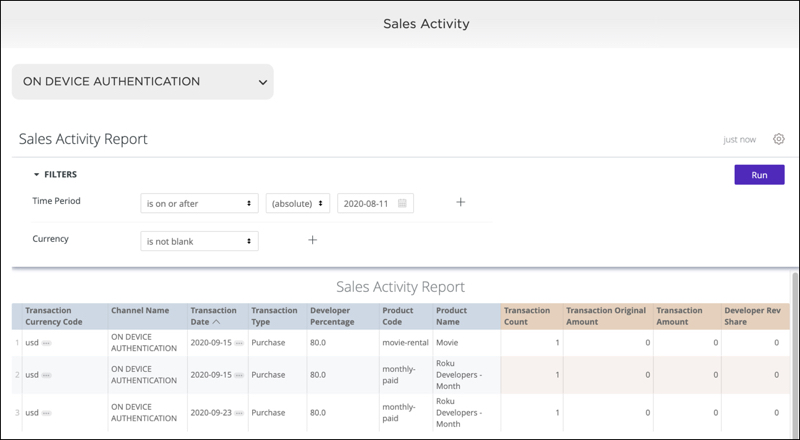
The Sales Activity Report displays app revenue, including sales from transactions, refunds, and subscription cancellations (both active and passive), over a given month. This information can be helpful in closing a publisher's accounting books or reconciling payouts received from Roku Accounts Payable.
Payout Audit Report
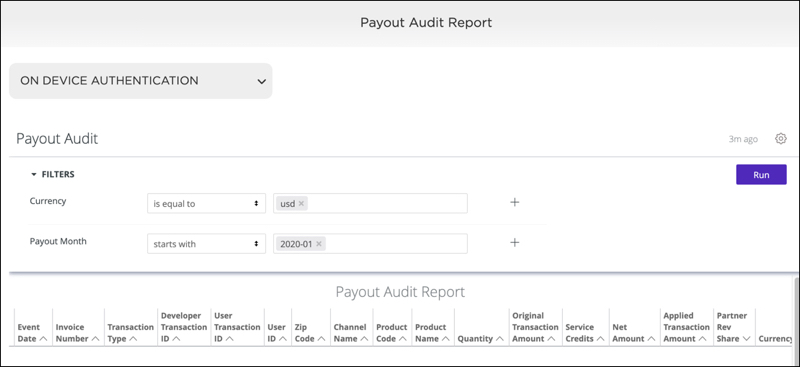
The Payout Audit Report displays information, including monthly transaction amounts and deferred payouts, which partners can use to reconcile their apps' revenue activity with receipts from Roku Accounts Payable. Revenue events are expressed using the currencies originally involved. Both net revenue share and original amounts collected by Roku are reported.
Updated 5 months ago