
Viewership Summary Report
You can use the Viewership Summary Report to examine the number of visits, streaming hours and rebuffers per hour for your app.
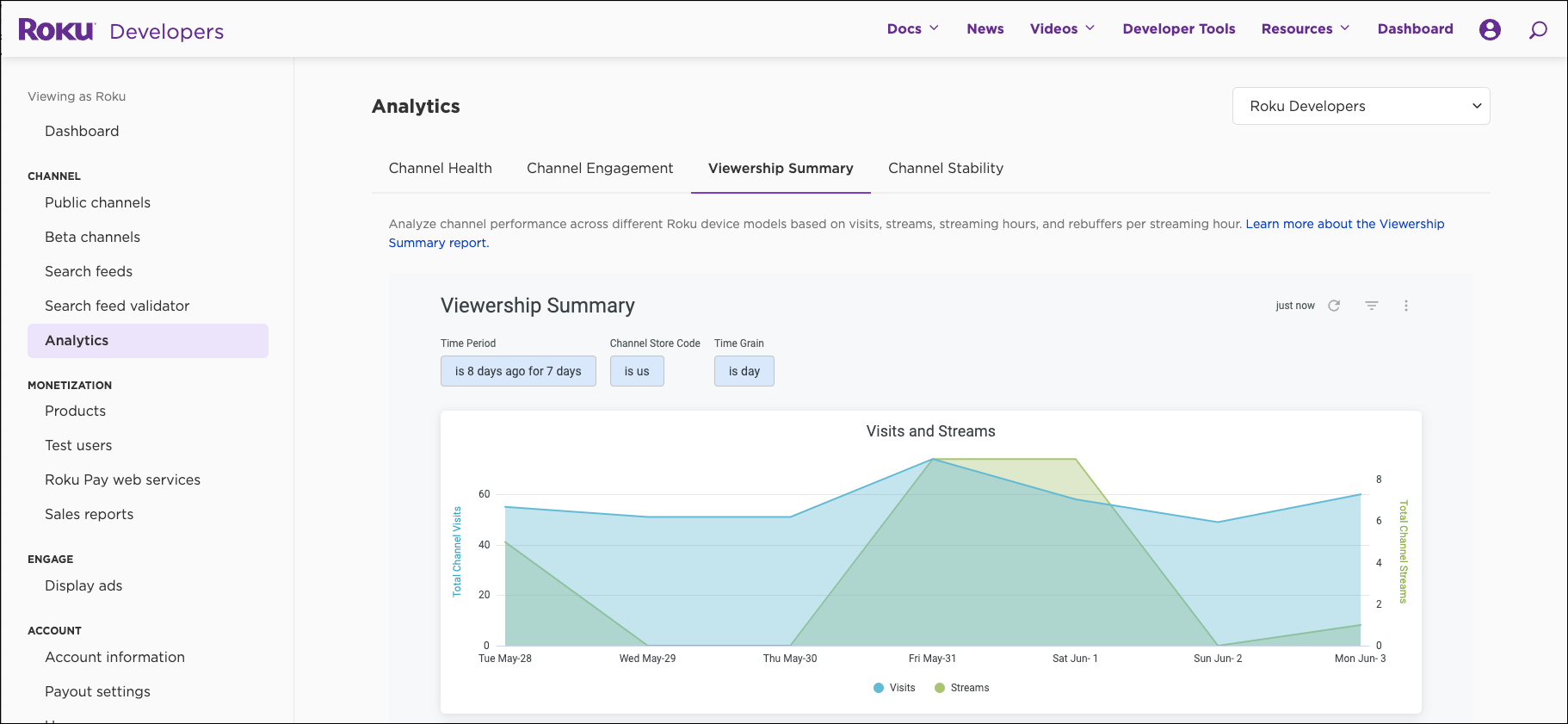
Filters
The filters applied on this report are:
-
Time Period - sets the data sample period for the entire report. The default is set to "8 days ago for 7 days" because data from the most recent day will be incomplete.
-
Time Grain - sets the granularity of measurements; the default Time Grain is day; changing the Time Grain filter will change the data displayed in visualizations but not in the Viewership Details Table, which uses aggregated daily measurements.
-
Streaming Store Code - identifies the code for a market, usually a country, where your app can legally be distributed. More than one Streaming Store Code is allowed.
Summary statistics
The band of metrics below FILTERS shows the summary statistics based on the time period you select in FILTERS:
-
Visits and streams - Displays the number of times an app has been launched and the number of times content has been streamed within that app.
-
Streaming ratios - Displays the ratio of streams to visits (a visit occurs when a customer launches an app).
-
Viewership details - Displays the number of visits, streams, streaming hours and rebuffers per streaming hour by device.
Visualizations
Below the band of summary statistics are three visualizations. These are time-series visualizations, so at least two observation dates are required to display properly.
Click on the legend at the bottom of each visualization to view only one or multiple metrics.
Visits and Streams visualization
This visualization shows the number of times an app has been launched and the number of times content has been streamed within that app. When someone launches an app, that counts as one visit (this is sometimes called a session, as in web analytics). Duration does not factor into visit counts. Starting an app and immediately exiting would still count as one visit.
A stream is counted every time a stream is opened (i.e. a user presses play). If a user stops and starts a title multiple times, that will be counted as multiple streams. Multiple streams can be associated with the same title but multiple title cannot be associated with the same stream.
The number of streams can be expected to be higher in apps with shorter form content, such as 1-5 minute user-generated videos, than in apps with longer form content, such as feature length films.
Streams can generally be expected to exceed visits. If visits exceeds streams, that would indicate account holders are starting your app, then exiting without ever streaming any content.
Streaming Ratios visualization
This visualization shows the ratio of streams to visits to help you closely examine this important issue. The relationship between visits and streams tends to be more meaningful than either count alone. The higher the ratio, the more times on average account holders are streaming content each time they visit your app. This ratio should be interpreted in the context of total streaming time or average stream duration, both of which we have also included in this visualization.
If the ratio of streams to visits is increasing while average stream duration is flat or declining, visitors might be having a hard time finding content they enjoy, so they are sampling more content but watching less of it through to completion.
Conversely, if the ratio of streams to visits drops but the average stream duration increases, visitors might be enjoying more of the content they are finding in your app. This could be due to improved discovery, more appealing longer-form content in your library, or other factors.
If total streaming time increases more or faster than the ratio of streams to visits, that suggests visitors to your app are streaming longer, while a larger or faster decrease in streaming time could be explained by a drop in time spent streaming. Looking at the average stream duration measurement is another way to detect these kinds of trends.
Rebuffers per Streaming Hour visualization
This visualization compares the number of rebuffers per hour to the total hours streamed in an app.
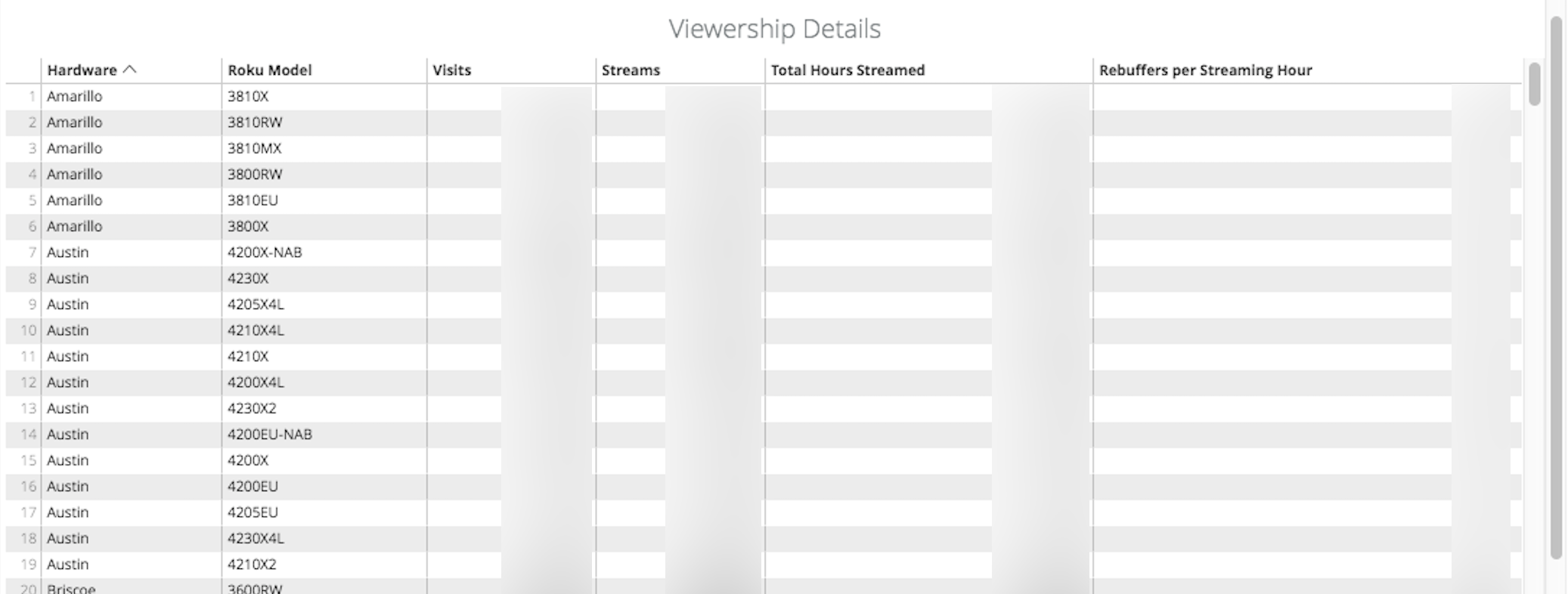
Viewership Details table
The Viewership Details table shows the number of visits, streams, streaming hours and rebuffers per streaming hour by Roku device. The hardware is identified by the Roku codename. The Roku model number is provided next to the hardware name, see Roku Models and Features for the list of hardware and model numbers.
Click a column header to sort by that column. Click on the "more" icon (three dots) on the far right side of the name bar on this table to download it. The download includes additional product details along with the table.
Viewership Details on Viewership Summary
Screenshots have been included for illustrative purposes only, and some values have been intentionally blurred out to avoid any misinterpretations.
Updated 1 day ago