
DynamicKeyboardBase
The abstract base class for the DynamicKeyboard, DynamicPinPad, DynamicMiniKeyboard, and DynamicCustomKeyboard nodes
Extends Group
Apps must use Roku voice keyboards for email, PIN, password entry to pass certification.
The DynamicKeyboardBase is an abstract class that provides the functionality for dynamic voice-enabled keyboards. It combines DynamicKeyGrid and VoiceTextEditBox nodes to provide a single node that supports text entry in multiple languages and voice entry in English and Spanish.
-
The DynamicKeyGrid provides keyboard functionality. The layout of the keyboard is based on a JSON-formatted Key Definition File.
The classes derived from DynamicKeyboardBase (DynamicKeyboard, DynamicPinPad, and DynamicMiniKeyboard) have built-in Key Definition Files. For example, the DynamicKeyboard node uses a Key Definition File that matches the key layout of the legacy Keyboard node.
The DynamicCustomKeyboard node enables developers to define a custom Key Definition File in order to configure the key layout. In the Key Definition File, the developer specifies the keys in each section and row of the keyboard. The keys support the characters in the Basic Latin, Latin 1 Supplement, Latin Extended-A, and Latin Extended-B blocks. This provides support for most Western European languages, including English, French, German, Italian, Portuguese, and Spanish.
-
The VoiceTextEditBox displays the text that has been entered or spoken. This node supports multiple voice entry modes for entering email addresses, passwords, street addresses, and PINs. This node currently supports voice entry in English and Spanish.
Developers should upgrade the legacy keyboards in their apps to dynamic voice-enabled keyboards in order to leverage the following benefits:
Faster on-device sign-ups and sign-ins. Enable customers to use voice entry to provide their information when subscribing to apps and logging in.
Localized in-app search: Enable customers to search for content in their native language.
Localized customer information entry: Enable customers to enter their personal information in their native language.
Fields
| Field | Type | Default | Access Permission | Description |
|---|---|---|---|---|
| text | string | "" | READ_WRITE | Contains the string of characters that has been entered. The text written to this field may also be displayed in the VoiceTextEditBox. |
| textEditBox | VoiceTextEditBox node | The VoiceTextEditBox associated with the keyboard | READ | The internal VoiceTextEditBox node used by this DynamicKeyboardBase node. Do not set this field to null or to a different VoiceTextEditBox node; this field should be used only to access the fields of this node's internal VoiceTextEditBox node. |
| hideTextBox | boolean | false | READ_WRITE | Hides the keyboard's internal VoiceTextEditBox, and renders the keyboard's DynamicKeyGrid at the top of the node. |
| keyGrid | DynamicKeyGrid node | The DynamicKeyGrid associated with the keyboard | READ | The internal DynamicKeyGrid node used by this DynamicKeyboardBase node. Do not set this field to null or to a different DynamicKeyGrid node; this field should be only used to access the fields of this node's internal DynamicKeyGrid node, such as the mode or horizWrapping fields. |
| domain | string | "generic" | READ_WRITE | The keyboard mode, which may be one of the following:
|
UX recommendations
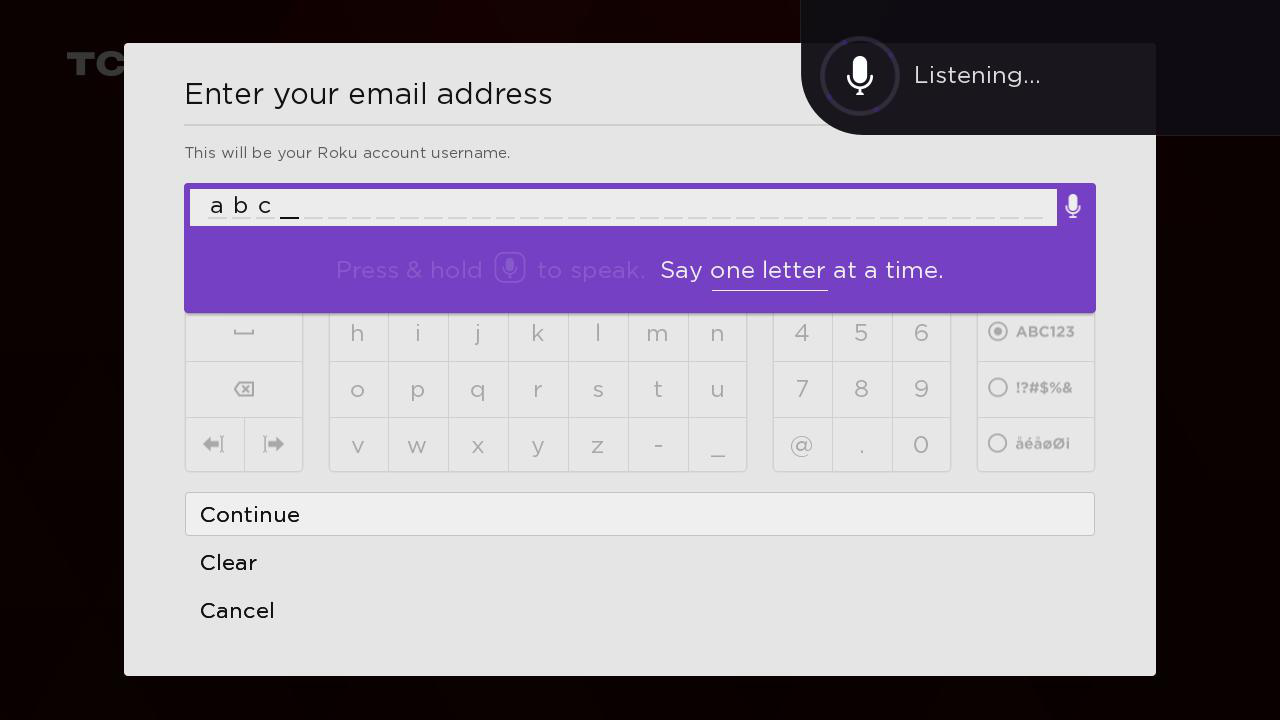
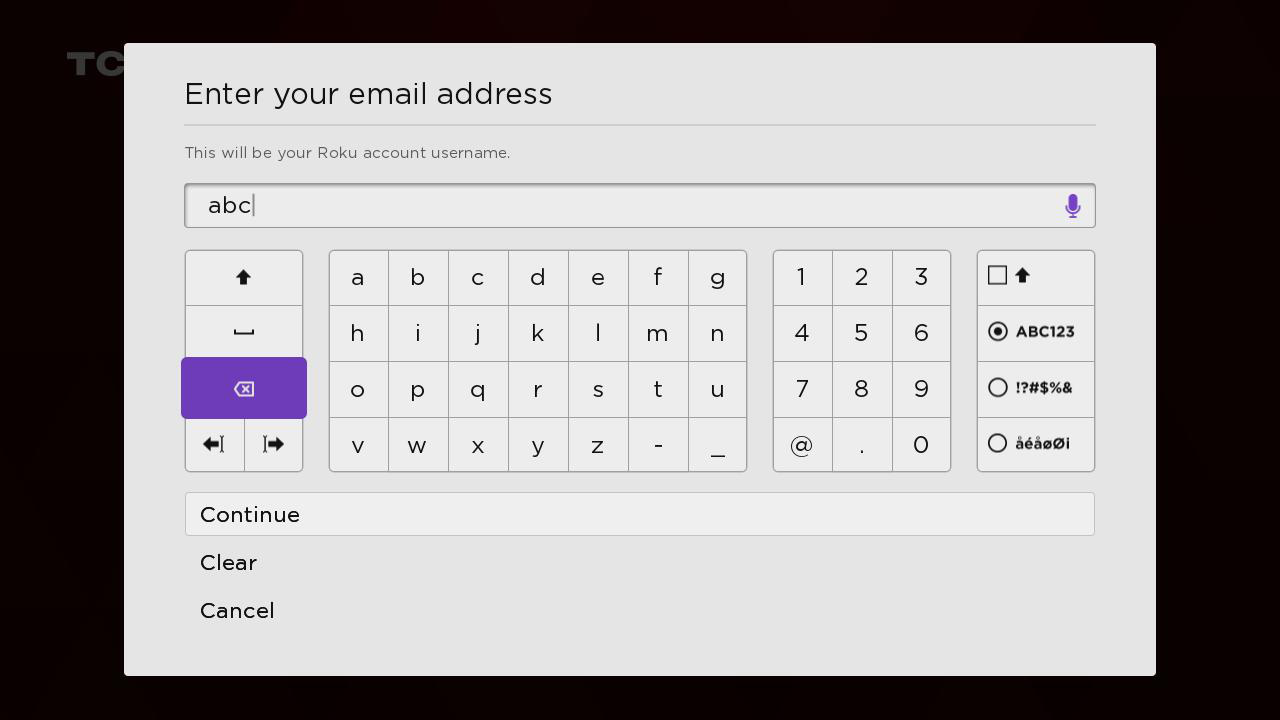
- Do not show hint text in the VoiceTextEditBox.
- Display secondary text under the title.
- Show the horizontal blinking cursor when the focus is on the VoiceTextEditBox and vertical blinking cursor when the focus is on the keyboard buttons.
Sample app
You can download and install a sample app that demonstrates how to create and configure dynamic voice-enabled keyboards. The sample app includes a voice-enabled keyboard, PIN pad, mini-keyboard, and custom keyboard (an address keyboard form).
Updated 9 days ago