
Artwork
Required image types, resolutions, and aspect ratios by content type.
Overview
Roku supports six image types for different locations within Roku Channel. Roku prefers to receive all image types that apply to the content whenever possible.
All image types must meet these delivery requirements:
- Format: JPEG or PNG
- Color space: RGB
- Resolution (density): 72ppi
- File extension:
.jpg,.jpeg, or.png
Each image must also meet the requirements for its type:
- Images must meet or exceed the minimum resolution defined for their image type.
- Images must be delivered in the exact aspect ratio defined for their image type. No cropping tolerance is allowed.
- Deliver at Roku's preferred resolution where possible, to avoid delays in publishing.
Image Types
| Image Type | Aspect Ratio | Preferred Resolution | Min Resolution | Max Resolution | Metadata Field |
|---|---|---|---|---|---|
| Key Art | 16:9 | 1920×1080 or 3840×2160 | 1920×1080 | 3840×2160 | keyart |
| Box Cover (Series) | 4:3 | 2560×1920 | 1600×1200 | 2560×1920 | boxcover |
| Box Cover (Movies) | 3:4 | 1920×2560 | 1200×1600 | 1920×2560 | boxcover |
| Poster Art | 2:3 | 2000×3000 | 1000×1500 | 2000×3000 | poster |
| Background Art | 16:9 | 1920×1080 or 3840×2160 | 1920×1080 | 3840×2160 | background |
| Episode Art | 16:9 | 1920×1080 or 3840×2160 | 1920×1080 | 3840×2160 | thumbnail |
Use the names in the Metadata Field column to identify each image type in delivery metadata.
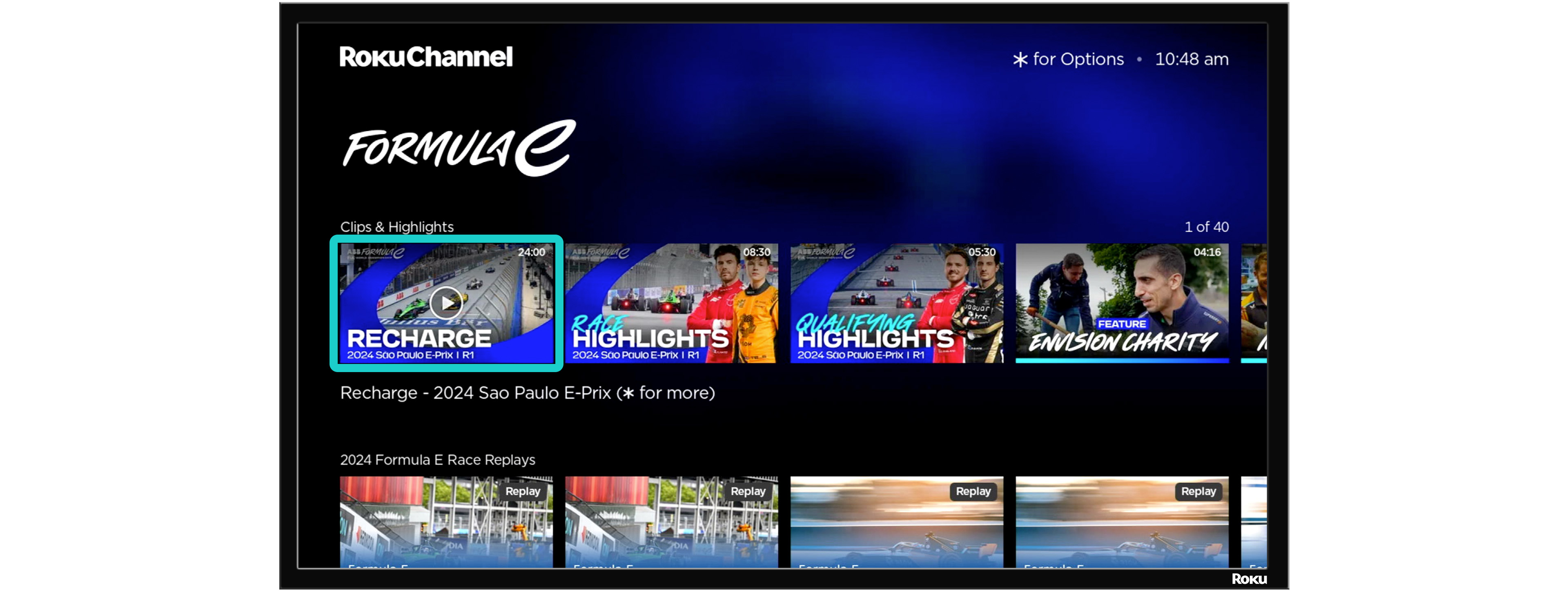
Key Art
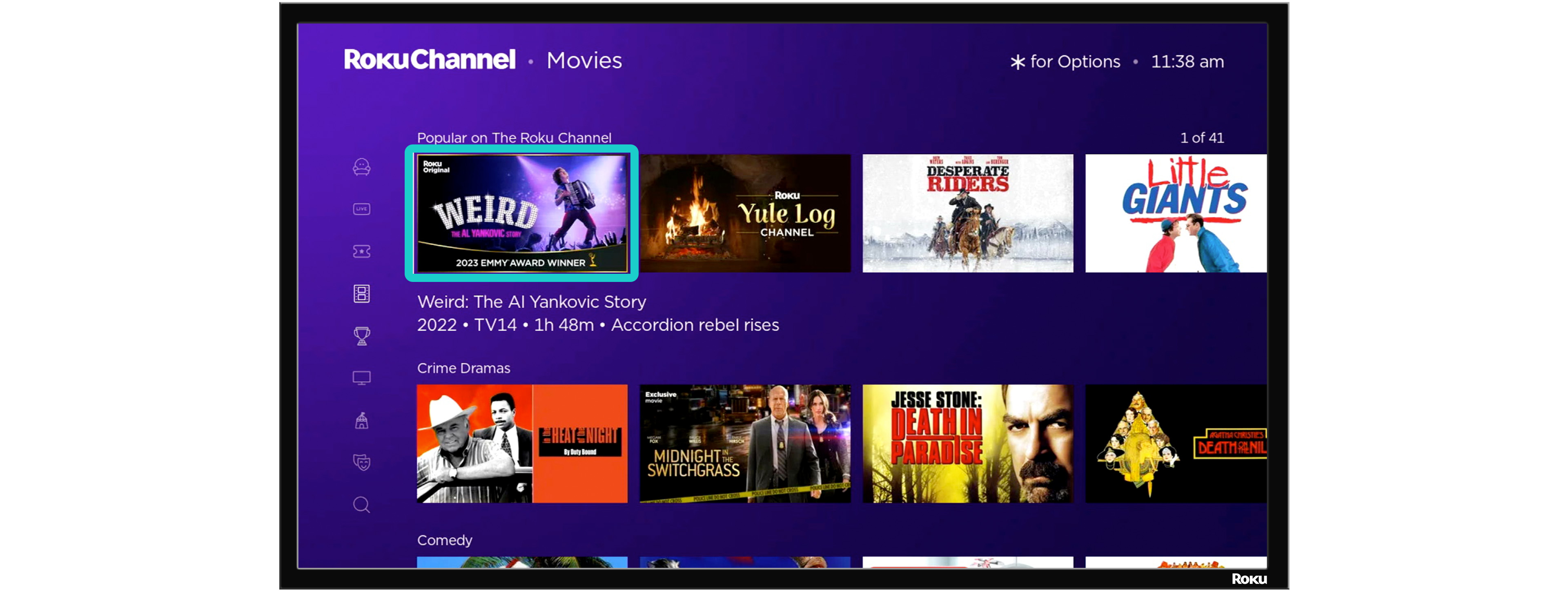
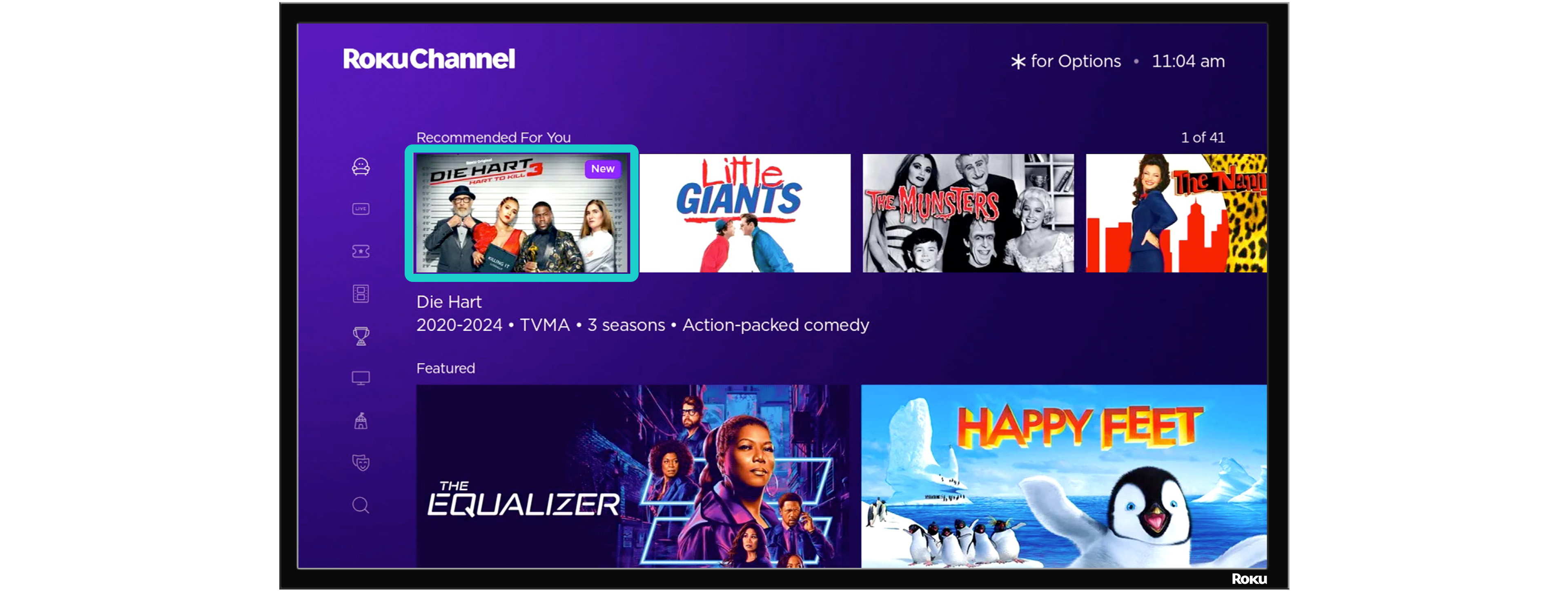
16:9 artwork shown when browsing Roku Channel. It must include the title treatment (a graphic showing the full title), and the title text must be visible.
Box Cover (Series)
4:3 artwork. Required for distribution to Howdy. Must include the title treatment. Used for series only.
Box Cover (Movies)
3:4 artwork. Required for distribution to Howdy. Must include the title treatment. Used for movies only.
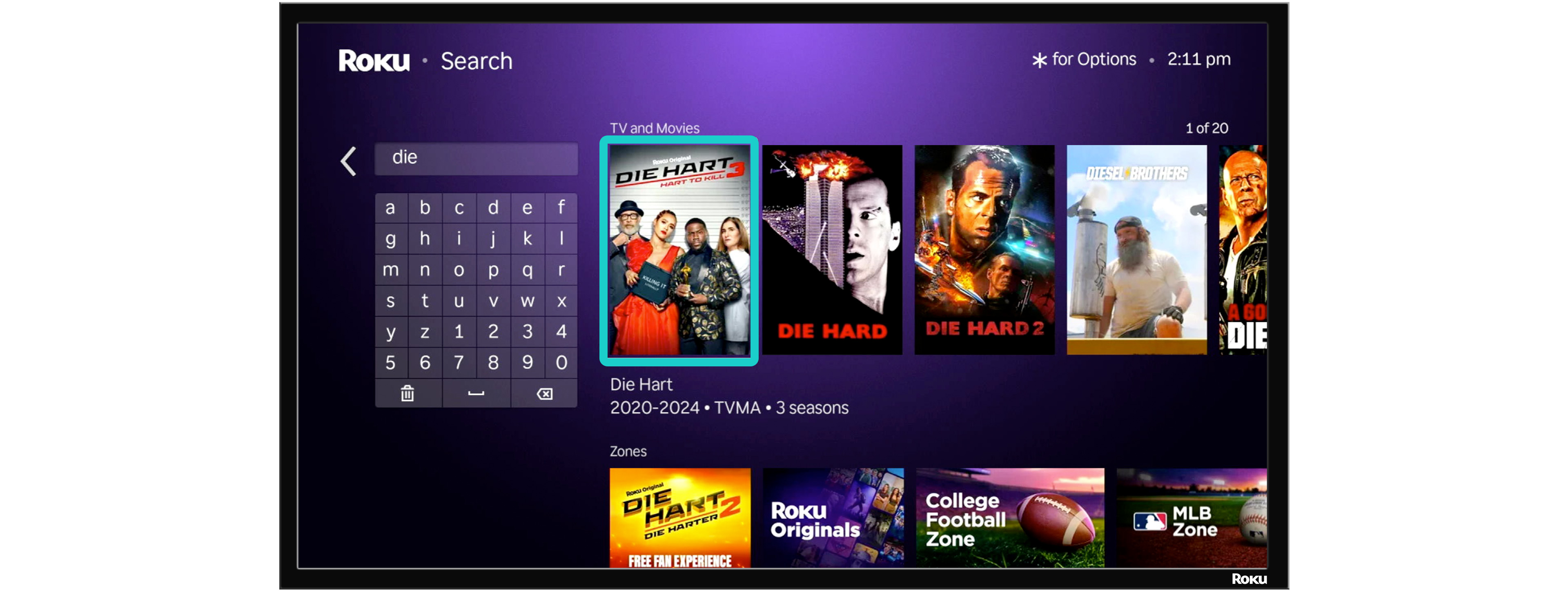
Poster Art
2:3 artwork that can appear when searching on Roku or Roku Channel. Must include the title treatment.
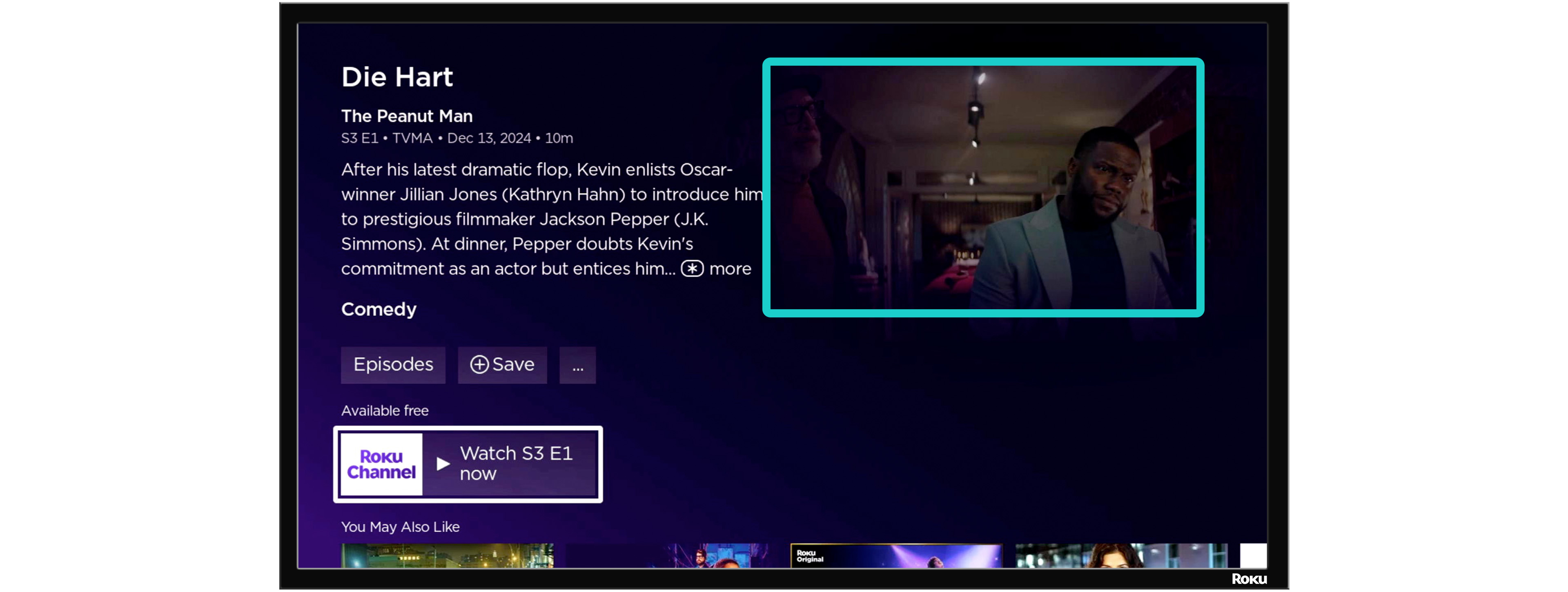
Background Art
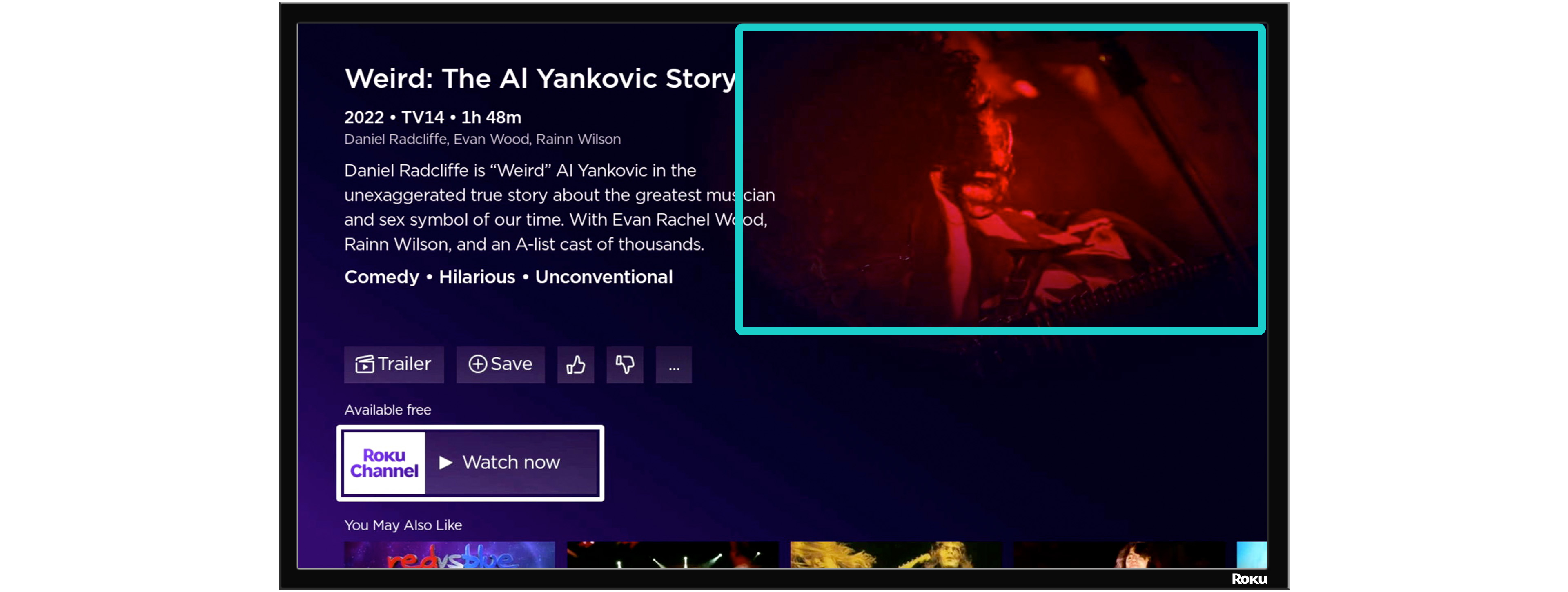
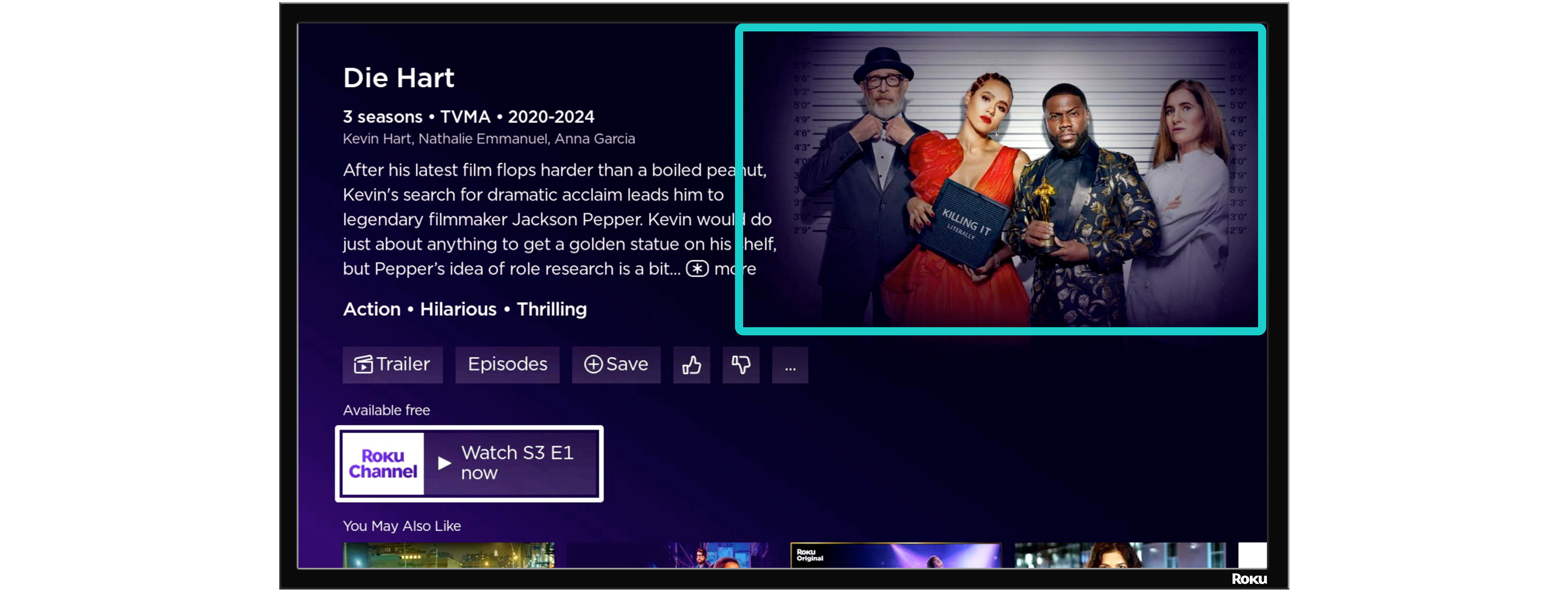
16:9 artwork used as the background of the details page for a series or movie. Must not contain any text.
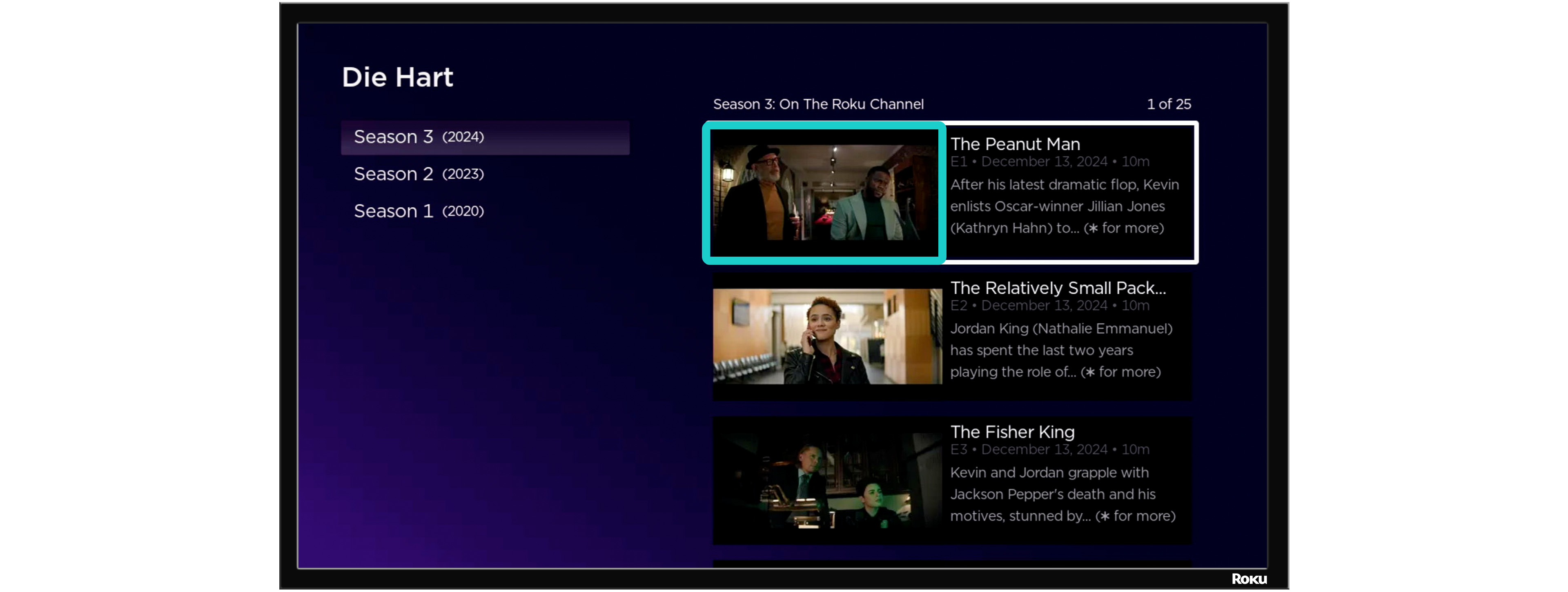
Episode Art
16:9 artwork representing an episode without spoilers, typically a still from the episode. It must not contain any text.
Minimum Art Requirements by Content Type
| Image Type | Clip | Movie | Series | Episode |
|---|---|---|---|---|
| 16:9 Key Art | Required | Required | Required | Not applicable |
| 2:3 Poster Art | Not applicable | Required | Required | Not applicable |
| 3:4 Box Cover | Not applicable | Required for distribution to Howdy | Not applicable | Not applicable |
| 4:3 Box Cover | Not applicable | Not applicable | Required for distribution to Howdy | Not applicable |
| 16:9 Background Art | Not applicable | Required | Required | Required |
| 16:9 Episode Art (thumbnail) | Not applicable | Not applicable | Not applicable | Required |
Episode-Specific Notes
Background Art delivered for an episode:
- May be letterboxed or pillarboxed depending on the source video's aspect ratio.
- Must not be windowboxed. Windowboxed images will be rejected.
- Should be unique per episode and representative of that episode's actual content.
Artwork Content Guidelines
- No sexually explicit or graphically violent artwork.
- Artwork should be for use after the theatrical release. Do not include language such as "In Theaters Now" or "Coming Soon."
- Artwork designed specifically for digital delivery is preferred.
- Artwork for international territories should be localized for each territory.
- Roku will not accept branded artwork without prior approval. This applies to individual videos, seasons, and series.
- Calls to action (CTAs) or links to external platforms or sites are not permitted and must be removed from the image before delivery. See External branding and calls to action.
Artwork Placement Examples
Movie artwork: browse experience 16:9 texted image with title treatment, as shown when browsing.
Movie artwork: details experience 16:9 textless image, as shown on the movie details page.
Series artwork: browse experience 16:9 texted series image with title treatment, as shown when browsing.
Series artwork: details experience 16:9 textless series image, as shown on the series details page.
Episode artwork: episode picker experience 16:9 textless episode images, as shown in the episode picker.
Episode artwork: episode details experience 16:9 textless episode image, as shown on the episode details page.
Clip artwork: browse experience 16:9 texted image with title treatment, as shown when browsing.
Poster artwork: search experience 2:3 texted image with title treatment, as shown in the search experience. 2:3 images are required for series and movie content types.
Glossary
| Term | Definition |
|---|---|
| Title treatment | A stylized graphic rendering of a title's name, designed to appear directly on key art/poster/box cover images. |
| Texted image | An image that includes text (typically the title treatment). |
| Textless image | An image with no text or title treatment overlaid. |
| Letterboxed | Black bars added above and below the image to fit a wider source into a taller frame. |
| Pillarboxed | Black bars added to the left and right of the image to fit a narrower source into a wider frame. |
| Windowboxed | Black bars on all four sides of an image, combining letterboxing and pillarboxing. Not accepted for Episode Art. |
Updated about 5 hours ago